
Services
Make your 3D interactive
Interactive 3D product configurators and WebGL experiences for the browser. Real-time color pickers, custom 3D viewers, and embeddable components built with Three.js.
I build interactive 3D configurators and WebGL experiences that run directly in the browser — no plugins, no app installs. These are used by product teams and brands who want visitors to customize colors, explore 3D models in real time, or interact with functional objects on their website. Each project starts with an optimized 3D model and ends as an embeddable web component built with Three.js or vanilla WebGL. From standalone product pages to configurators integrated into existing websites, the focus is on fast load times, responsive controls, and visuals that match your brand.
Interactive 3D Services
Product color configurators
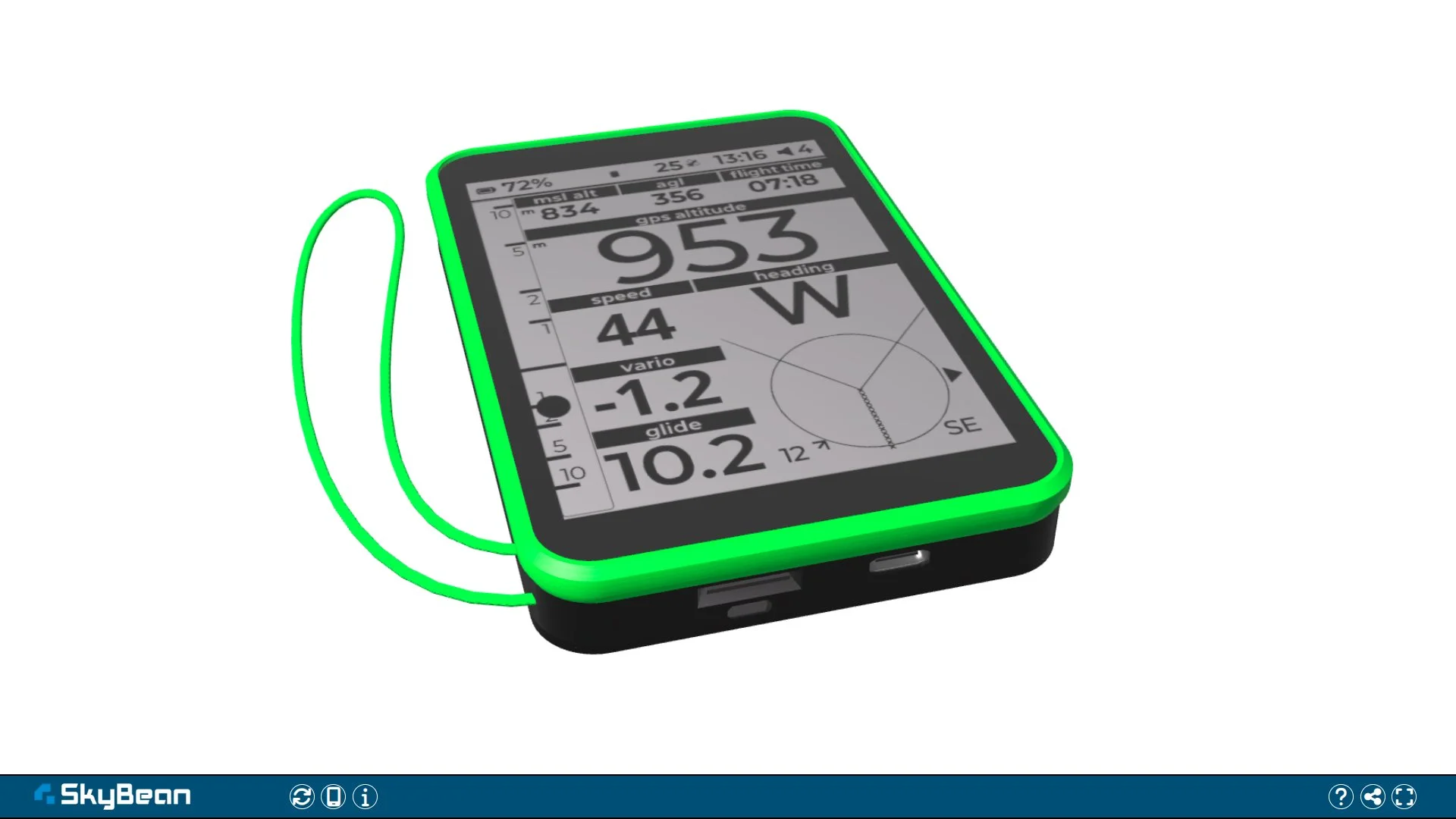
Let customers personalize products by selecting colors for individual parts in real time. I build low-poly 3D models with defined color zones and create a custom UI for switching materials. The configurator runs entirely in the browser. See the Skybean SØ Colorpicker and AirDesign Volt 5 Colorpicker for live examples.
Interactive 3D web experiences
Functional 3D objects with animation, real-time data, or custom interactions — such as the WebGL Alarm Clock with synchronized timekeeping and rotating hands. These go beyond static color pickers into animated, interactive scenes driven by JavaScript and WebGL.
WebGL integration & embedding
Deliverables are self-contained HTML components that can be embedded into most websites via iframe or integrated directly into frameworks like Astro. Assets are optimized for fast loading — compressed geometry, efficient textures, and minimal dependencies. If you also need a full website to host the configurator, see Web Development.
What's included
- Real-time 3D product configurators
- Color picker & material switching UIs
- WebGL viewers embedded in any website
- Optimized 3D assets for fast browser loading
- Custom interaction logic (orbit, zoom, animate)
- Built with Three.js, vanilla WebGL, and Astro
The WebGL Configurator Process
Requirements & References
We define what the configurator should do: which parts are customizable, what interactions are needed, where it will be embedded, and gather reference materials or existing 3D models.
3D Preparation & Development
I optimize or create the 3D model for real-time rendering, set up materials and color zones, then build the interactive logic using Three.js or vanilla WebGL with a custom UI.
Testing & Delivery
The configurator is tested across browsers and devices for performance and responsiveness, then delivered as an embeddable component or deployed directly to your website.
Related projects
Skybean SØ Colorpicker
A 3D WebGL color picker for the Paragliding Variometer Skybean SØ. Customize the case and buttons of the low-poly model and see your design in real time.

Airdesign Volt 5 Colorpicker
A 3D WebGL color picker for the AirDesign Volt 5 paraglider. Customize different parts of the low-poly model and see your design in real time.

WebGL Alarm Clock
A 3D WebGL alarm clock with interactive time display, featuring rotating hands and customizable face designs.
Frequently Asked Questions
- What can users customize in a 3D configurator?
- This depends entirely on your product. Common setups include changing colors of individual parts, switching materials or finishes, and toggling components on or off. The level of customization is defined during the brief.
- Can the configurator be embedded into my existing website?
- Yes. The final output can be delivered as a self-contained HTML component that can be embedded via an iframe on platforms that allow embedded content, including WordPress, Astro-based sites, Shopify, and custom websites. Deeper integration may also be possible depending on the site's technical setup.
- Do I need to provide a 3D model?
- If you have one, I can optimize it for real-time use. If not, I can create a suitable model from reference photos, technical drawings, or an existing physical product, depending on the available reference material and complexity. The complexity affects both development time and performance.
- What information do I need to start a project?
- A description of what should be interactive, reference images or sketches of the product, the target website where it will be embedded, and any brand guidelines for colors and UI styling. Send these details via the contact form and I'll provide a tailored estimate.
Want an interactive 3D experience? Let's build it.
Contact